


Solitaire - Classic Card Game
4.42.47K Reviews
App Specs
- Version
- 1.59.305
- Updated On
- License
- Free
- Downloads
- 10,000,000+
- Developer
- Arcade Game Maker
- Categories
- Board
- Platform
- Android
Screenshots
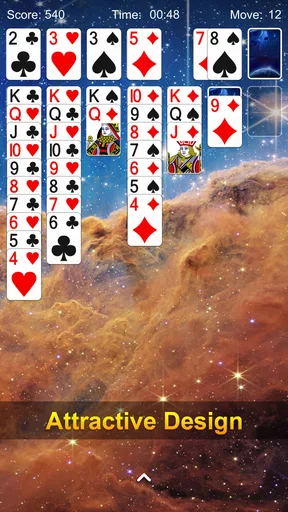
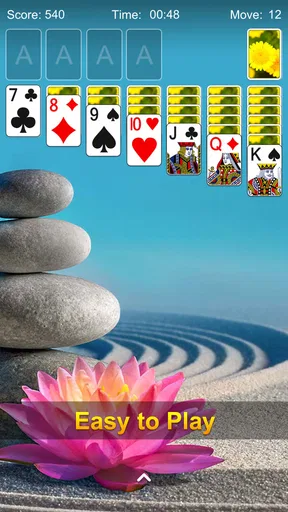
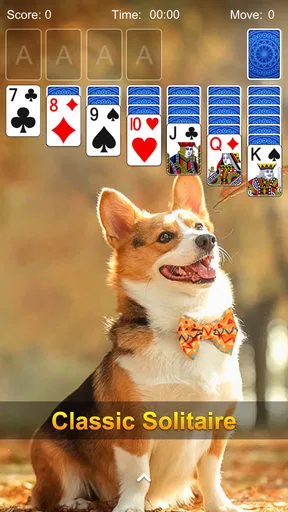

 Analysis by AppCompare
When I want a quiet game that asks for a little thought but doesn’t demand a long commitment, I often reach for Solitaire - Classic Card Game. This is a mobile take on familiar solitaire, built for the small gaps in a day: a short break, a wait in line, or a few minutes before bed. Its appeal is the directness of the card game itself rather than a complicated layer of systems around it.
Free access, with a straightforward starting point
The game is free to download, so trying it does not require an upfront purchase. I see that as its clearest value point: if you already enjoy solitaire, you can find out whether this particular version suits you without first deciding how much a paid game is worth. The app is rated for Everyone, which also makes the basic premise easy to recommend across age groups, though the familiar rules will matter more than the rating if you are choosing it for someone new to card games.
Arcade Game Maker is the developer, and the game has been available since September 26, 2017. Its current version is 1.54.305, and it requires Android 6.0 or later. Those details make it easier to judge whether it is a practical option for your device, especially if you are using an older Android phone. It has a 4.5 average from around 29,000 ratings, with over 10 million installs; those figures suggest a well-established audience, although they cannot tell you whether you will personally prefer its presentation or pace.
How the familiar card game fits into everyday play
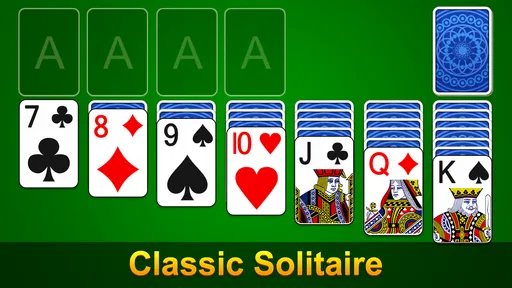
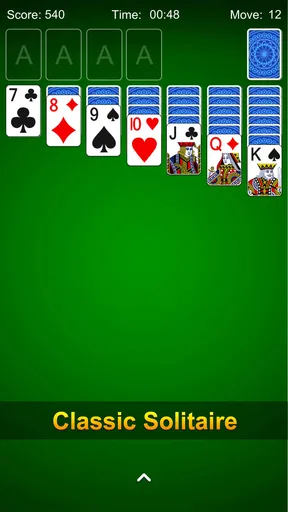
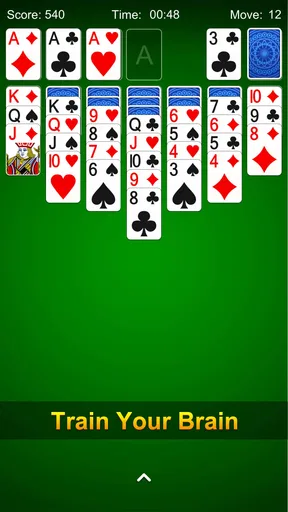
The first thing you'll notice when you open Solitaire - Classic Card Game is its clean and intuitive interface. It’s like greeting an old friend. The cards are beautifully designed, and the layout is spot-on, making it easy to dive right into a game. If you're new to Solitaire, don't worry. The app has a handy tutorial that’s perfect for getting you up to speed. And for the pros out there, you can skip straight to the action.
A familiar routine, with a few useful touches
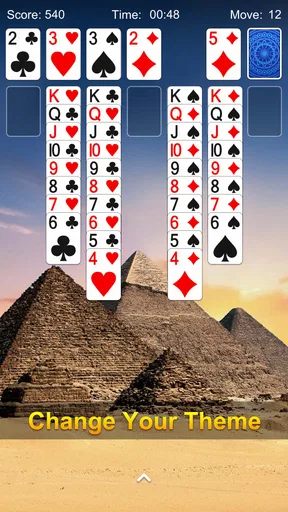
One of the great things about this app is how it stays true to the original game while adding a few modern features. You can customize the card backs and backgrounds to suit your style. Want something more challenging? Try the daily challenges that keep things fresh and exciting. It’s like having a new game every day!
And let’s talk about the undo feature. It’s a lifesaver for those moments when you realize you’ve made a mistake. Just tap ‘undo’ and try a different strategy. It’s a small addition, but trust me, it makes a big difference.
Small sessions work best when you set your own pace
A useful way to approach a solitaire app is to treat each deal as a pause rather than a task to finish as quickly as possible. I find that the undo option is most helpful when I use it to test a choice: if a move closes off a useful card, I can step back and compare another route. That makes the game more forgiving for a learner, but it can also make a win feel less satisfying if I undo every difficult decision. For a more honest measure of my own planning, I try to use it only when I have spotted a clear mistake.
Worth Reading Before You Choose

Flipboard Shows What News Apps Must Do Beyond the Feed

Switching to Android Auto Means Rethinking Your Driving Routine

Google Calendar Makes a Crowded Week Easier to Manage

Ludo King Makes the Most of the Minutes Between Plans

Baby Panda World Brings Quick Play to Modern Phones, but Its Game Library Feels Busy

ESPN’s Live Game View Makes Following Close Games Easier
Daily challenges can give a regular player a reason to return, but they are not the only sensible way to play. On a busy day, I would choose an ordinary quick session instead of turning a challenge into an obligation. The value of a casual card game is that I can stop when I need to; a streak or routine is only useful if it remains enjoyable. The customizable card backs and backgrounds are similarly personal rather than essential. I would choose a look that makes the cards easy for me to distinguish, not spend time changing the screen every session.
What it offers beside other solitaire choices
Compared with a physical deck, a phone version is ready whenever I have my device and a spare moment, without needing a table or space to lay out cards. Compared with a more elaborate board or puzzle game, solitaire is easier to pick up and put down because the basic goal is already familiar to many players. That simplicity is the strength here, but it is also the boundary: someone looking for a story, varied game modes, or a deep competitive system should choose a different kind of game.
The app’s offline-friendly play is particularly useful when I am travelling or waiting somewhere with unreliable internet. I can start a game without planning around connectivity, then leave it behind when the moment passes. The leaderboard offers a different motivation for people who like comparing performance, but I would treat it as an optional extra. If competition makes a relaxing game feel pressurized, ignoring rankings is likely to make the experience more pleasant.
Why I Keep Coming Back
What keeps me hooked is the simplicity and the endless fun. Solitaire - Classic Card Game offers a perfect blend of relaxation and mental stimulation. It’s my go-to app when I need a break from the hustle and bustle. Plus, it’s offline-friendly, so I can play anywhere, anytime, without worrying about internet access.
And let’s not forget the leaderboard. If you’re a bit competitive like me, you’ll love seeing how you stack up against other players worldwide. It adds a nice little edge to the game and pushes you to improve your time and strategy.
Who is likely to get the most from it?
I would recommend this one first to people who already know the basic solitaire routine and want a familiar game close at hand. It can also suit a newcomer: the tutorial gives them a way into the rules, while undo makes early experiments less punishing. If you are introducing it to someone else, a good first session is to play slowly and talk through why a move opens up a useful card, rather than focusing on finishing quickly. That turns the game into a low-pressure way to learn.
For a realistic everyday use, imagine having a few minutes before an appointment. A short solitaire session gives that spare time a clear beginning and end, and offline play means the game does not depend on the waiting room’s connection. At home, it can work as a calmer alternative to scrolling when you want something that occupies your attention without asking you to learn a large set of controls. I would not choose it, though, if I needed a game that guarantees every deal can be won or provides a complex challenge progression; those are different expectations from a straightforward solitaire app.
Trade-offs worth knowing before you settle in
The central trade-off is repetition. Solitaire’s appeal comes from repeating a simple structure and making decisions within it, so someone who tires quickly of familiar card play may find the experience narrow. The daily challenges and leaderboard can add reasons to return, but they do not change the basic character of the game. I would skip it if I wanted a social card game built around playing directly with friends, or if I preferred a broad collection of different board games in one place.
Another practical point is screen comfort. Card games depend on being able to read the layout and see which cards are available, so I would try a session on the device I plan to use rather than assume every screen feels equally comfortable. Customization can help make the play area feel more personal, but it is not a substitute for a display size that works for your eyes. If you often play one-handed or in very brief bursts, take a moment to see whether the controls feel natural before making it your regular time-filler.
Final Thoughts
In a world full of complex games and apps, Solitaire - Classic Card Game is a refreshing return to basics. It’s perfect for unwinding, killing time, or just enjoying a bit of nostalgia. Whether you're a veteran or a newbie, this app is worth a spot on your home screen.
So, if you’re ready to shuffle, deal, and stack those cards, give it a download. Trust me, you won’t regret it.
Pros
- Intuitive and user-friendly interface.
- Smooth animations enhance gameplay.
- Multiple difficulty levels available.
- Offline play without internet needed.
- Minimal ads for uninterrupted play.
Cons
- Limited customization options.
- No multiplayer mode available.
- Occasional minor bugs reported.
- In-app purchases can be pricey.
- Basic graphics may not appeal to all.
FAQs for Solitaire - Classic Card Game
What features does Solitaire - Classic Card Game offer?
Solitaire - Classic Card Game provides a classic gameplay experience with modern enhancements. It includes features such as daily challenges, multiple difficulty levels, customizable card backs, and hints for beginners. Additionally, you can track your statistics and enjoy the game offline, making it a versatile choice for both casual and dedicated players.
Is Solitaire - Classic Card Game free to download and play?
Yes, Solitaire - Classic Card Game is free to download and play. However, it may include in-app purchases or ads to support development. These purchases can enhance gameplay by removing ads or providing additional features, but they are optional and not necessary to enjoy the full experience of the game.
Does Solitaire - Classic Card Game require an internet connection?
No, Solitaire - Classic Card Game does not require an internet connection to play. You can enjoy the game offline, making it perfect for travel or areas with limited connectivity. However, certain features like daily challenges or updates may require a connection to access the latest content.
How user-friendly is Solitaire - Classic Card Game for beginners?
The game is designed with beginners in mind, offering an intuitive interface and easy-to-understand rules. It includes a helpful hint system and an undo feature, allowing new players to learn and improve their skills without frustration. The customizable difficulty levels also cater to both newcomers and experienced players.
Are there any privacy concerns with Solitaire - Classic Card Game?
Solitaire - Classic Card Game respects user privacy and typically requires minimal permissions. It’s important to review the app's privacy policy and permissions before downloading to ensure you're comfortable with any data collection or sharing practices. Generally, the data collected is used to improve user experience and app functionality.


